Game Dev Champions: Everything You Need To Know About Submissions
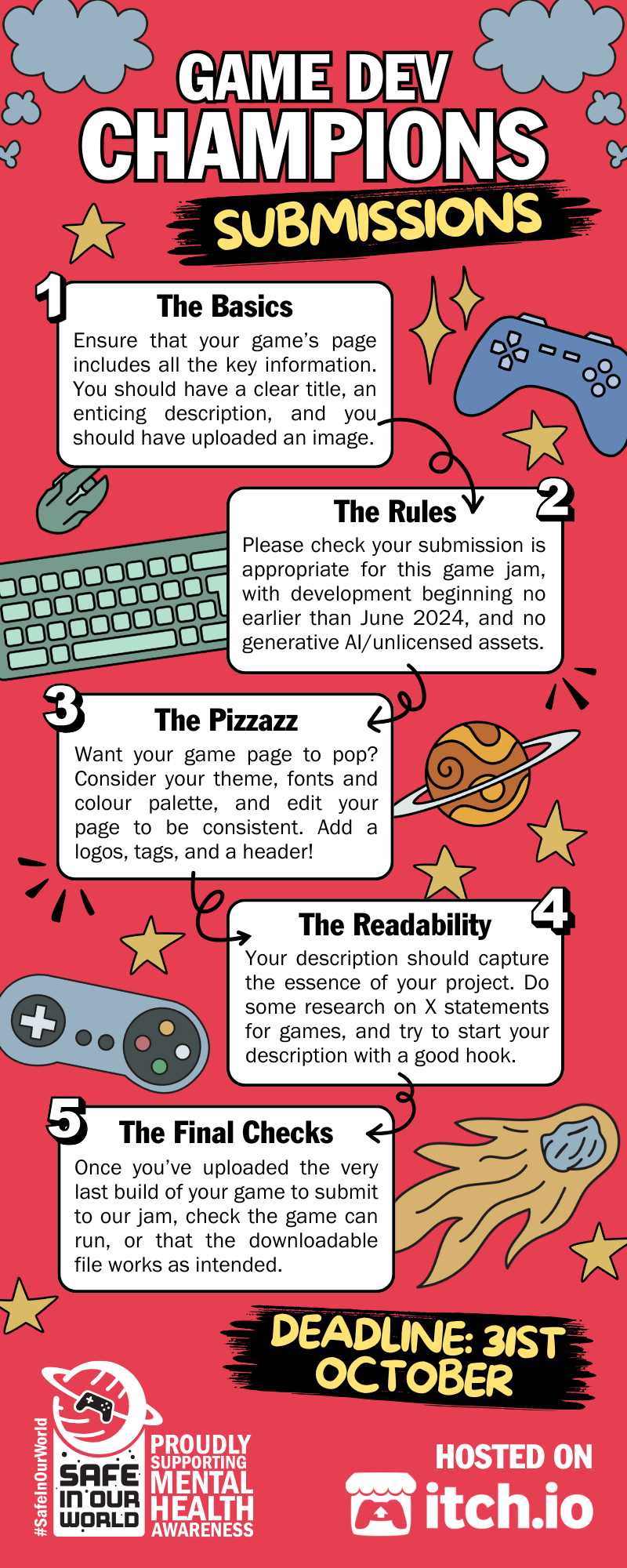
Posted: 30 Oct 2024As our game jam draws to a close, we’ve been discussing ways to jazz up your itch.io game page, as well as the basics for submitting your projects to our Game Dev Champions challenge!
Submission deadline: 23:59 GMT (16:59 PST), Thursday 31st October 2024
How to write your description
You want your description to begin with a succinct and intriguing hook. Games usually have an X statement, or logline, which aims to deliver core information about your game to the audience while piquing their interest.
You want your own X statement to be punchy, short and sweet! We’d recommend looking at other games (e.g. Steam product pages) to get a feel for the length and tone you want for your own game.
Adding a game trailer
Including a game trailer in your itch.io page is a great way to encourage players to give your game a go! You can upload your trailer to YouTube or Vimeo, and add this to your page. This will give your game’s page a “Watch Trailer” button when users are browsing through games!
You probably want your game trailer to be between 30 and 60 seconds. Be sure to include a variety of in-game footage, giving a flavour of what your game is about (inc. action shots, dialogue, in-game shops, etc.). If you’re adding a voice over to your trailer, be sure to add captions.
End your trailer with a Call To Action (CTA) – this could be asking the viewer to play now or download today!
Adding images and screenshots
One of the first things your audience will see is the image you choose to represent your game, so make sure you’ve uploaded something relevant, high quality and enticing. Include high resolution screenshots from your game, showing in-game scenes, and UI like your menus or inventory.
Remember to include alt text for any images you upload to ensure your game’s page is accessible for those using screen readers. You can create interesting tiled backgrounds with images, and upload a banner to make your page really pop!
Theming your itch.io page
Itch.io provides a significant amount of customisation options. You can navigate to Edit Theme to change your header image, background images, colours, text, button customisation, fonts and more.
Again, we’d recommend exploring other games for inspiration, and making notes of customisations you’d like to try out for your own page. To create a strong theme for your own game, consider your game’s aesthetic and try to reflect that in your page!
Other information to include
For this game jam, if your game does not include a controls tutorial, we ask that participants write the game controls in the game description section so our judges know how to play.
If your game is not in English, and does not have an English setting, please remember to include a link to a plain .txt or .csv file for any in-game text vital to understanding the game.
Submit your game to Safe In Our World’s Mental Health Game Dev Champions game jam.